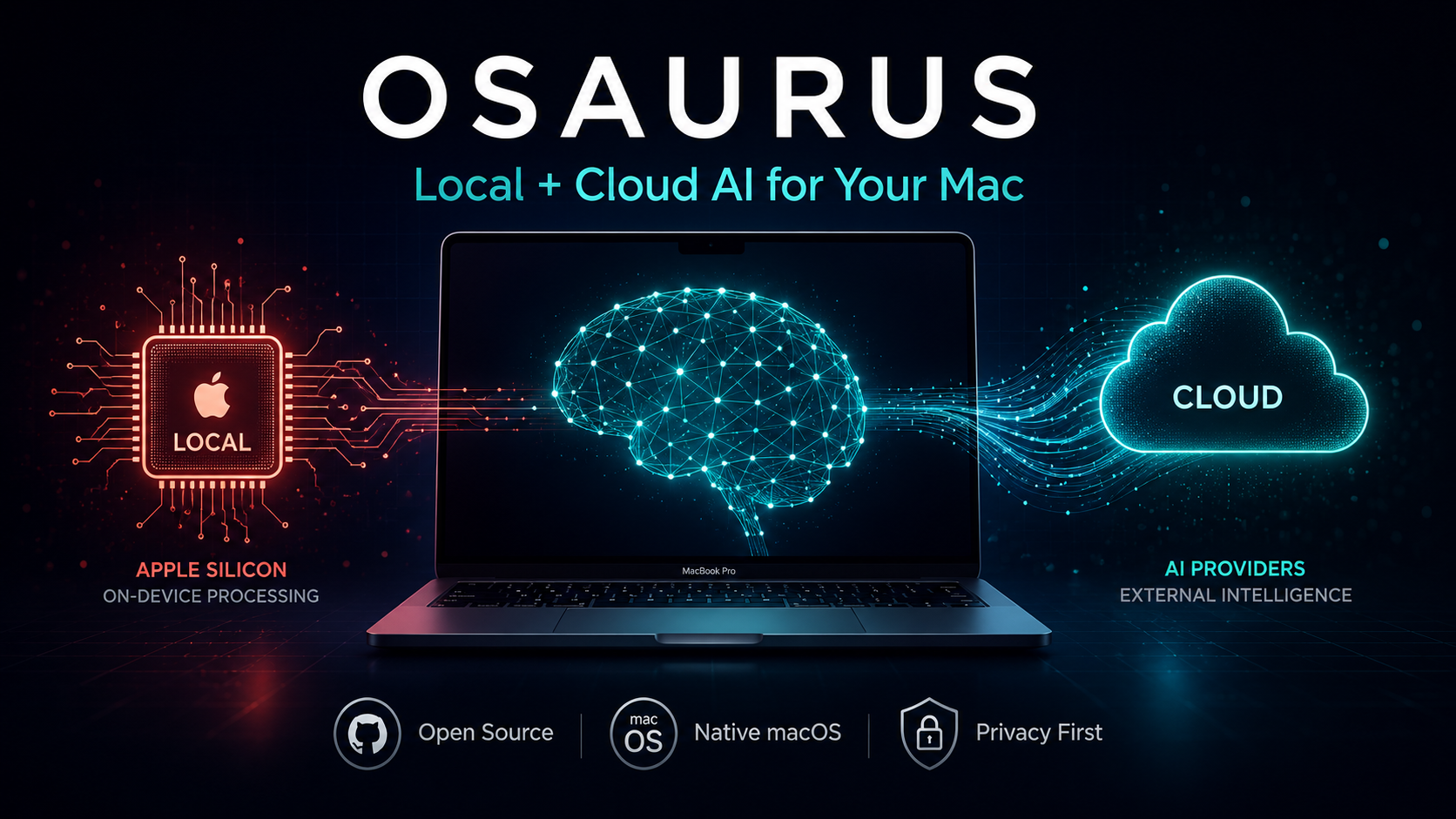
For years, using AI meant surrendering your data to someone else’s server. Every conversation, every file you uploaded, every preference you expressed stored in a cloud you don’t control. Then local AI arrived, but it came with a catch: terminal commands, compatibility nightmares, and the nagging feeling that your Mac was being treated as an afterthought.
Osaurus changes the equation.
Born from Dinoki Labs and co-founded by Terence Pae (formerly of Tesla and Netflix) and Sam Yoo, Osaurus is an open-source, Apple-only AI harness built purely in Swift for Apple Silicon. It sits between you and any AI model local or cloud and keeps the irreplaceable stuff on your machine: your context, your memory, your tools, your identity.
Since launching nearly a year ago, Osaurus has been downloaded over 112,000 times and has earned 5.2k GitHub stars and it’s not hard to see why.
Table of Contents
What Exactly Is Osaurus?
At its core, Osaurus is what the industry calls a “harness” a control layer that connects different AI models, tools, and workflows through a single interface. Unlike developer-centric alternatives such as OpenClaw or Hermes, Osaurus presents a consumer-friendly native Mac app. It addresses security concerns by running operations in a hardware-isolated, virtual sandbox, limiting AI to a defined scope and keeping your computer and data safe.
The philosophy is simple: models are getting cheaper and more interchangeable by the day. What’s irreplaceable is the layer around them. Others keep that layer on their servers. Osaurus keeps it on your Mac.
The Model Ecosystem: Local Power Meets Cloud Flexibility
Local Models (MLX Optimized)
Osaurus runs local models through MLX, Apple’s own machine learning framework with first-class GPU support via unified memory. It maintains a curated, optimized model library on Hugging Face with quantizations specifically tuned for Apple Silicon.
Supported local models include:
- Gemma 4 (2B to 31B variants)
- Qwen3.6 (up to 122B MoE)
- MiniMax M2.5/M2.7
- DeepSeek V4
- GPT-OSS
- Llama
- Mistral Medium 3.5
- NVIDIA Nemotron Omni
- Liquid AI’s LFM family (non-transformer architecture)
- Apple’s on-device Foundation Models (macOS 26+, zero configuration)
Cloud Providers
When you need more power, Osaurus connects seamlessly to:
- OpenAI (GPT-4o, o-series)
- Anthropic (Claude family)
- Google Gemini
- xAI / Grok
- Venice AI (privacy-focused, no data retention)
- OpenRouter (one key, many providers)
- Ollama and LM Studio (remote/local servers)
The best part? Your agents, memory, and tools stay intact when you switch from a local Gemma model to Claude or GPT-4o.
Feature Breakdown at a Glance
| Feature | What It Does | Why It Matters |
|---|---|---|
| Agent System | Custom AI agents with unique prompts, memory, and themes | One agent for coding, another for research each specialized and persistent |
| Multi-Layer Memory | Identity, pinned facts, and per-session episodes distilled automatically | Agents remember what matters without bloating context windows (~800 tokens or less per turn) |
| Agent Loop | Model writes a markdown todo list, executes it, and verifies results | True autonomous task completion in a single chat window |
| Linux Sandbox | Isolated VM (Alpine Linux) for code execution | Run shell, Python, Node.js with zero risk to your Mac (macOS 26+) |
| MCP Server + Client | Full Model Context Protocol support | Share tools with Cursor, Claude Desktop, and other MCP-compatible apps |
| 20+ Native Plugins | Mail, Calendar, Vision, Browser, Git, Filesystem, Music, Search, Fetch | Your AI can actually do things on your Mac |
| Voice Input | On-device transcription via FluidAudio | Dictate in chat or use a global hotkey to transcribe into any app — no audio leaves your Mac |
| Cryptographic Identity | secp256k1 addresses for you and each agent | Verifiable chain of trust, revocable access keys |
| Relay | Secure WebSocket tunnels via agent.osaurus.ai | Public agent URLs without port forwarding or ngrok |
| Schedules & Watchers | Timer-based or file-change-triggered agent runs | Automate daily journals, screenshot organizers, end-of-day commits |
| API Compatibility | Drop-in OpenAI, Anthropic, and Ollama endpoints | Any SDK you already use just works at localhost:1337 |
System Requirements & Performance
| Specification | Minimum | Recommended |
|---|---|---|
| macOS Version | 15.5+ | 26+ (Tahoe) for Sandbox & Apple Foundation Models |
| Chip | Apple Silicon (M1, M2, M3, or newer) | M3 Pro/Max or M4 for larger models |
| RAM (Local Models) | 64 GB | 128 GB for DeepSeek V4-class models |
| Storage | Varies by model | External drive supported via OSU_MODELS_DIR |
As Terence Pae notes, local AI’s “intelligence per wattage” is on its own innovation curve. “Last year, local AI could barely finish sentences, but today it can actually run tools, write code, access your browser, and order stuff from Amazon.”
Installation (Under a Minute)
Osaurus respects your time. Install via Homebrew:
brew install --cask osaurusOr grab the .dmg from osaurus.ai. Launch with ⌘ Space → “Osaurus”, or use the CLI:
osaurus ui       # Open the chat UI
osaurus serve    # Start the server
osaurus status   # Check status
A five-step onboarding walks you through creating your first agent, picking a model, and setting up your cryptographic identity. No config files.
Who Is Osaurus For?
- Privacy-conscious professionals in legal, healthcare, or finance who can’t risk data leaving their machine
- Developers who want a native, API-compatible local server that isn’t another Electron app
- Creatives and knowledge workers who want AI that remembers their preferences across sessions
- AI enthusiasts who want to experiment with local models without wrestling with the command line
- Businesses considering on-prem AI deployments (a direction the Osaurus team is actively exploring)
The Bigger Picture: Why Local-First AI Matters
Osaurus arrives at a pivotal moment. As cloud AI providers race to build massive data centers, the Osaurus team sees a future where organizations deploy a Mac Studio on-prem instead. “Instead of relying on the cloud, they can actually deploy a Mac Studio on-prem, and it should use substantially less power. You still have the capabilities of the cloud, but you will not be dependent on a data center,” Pae explained.
This isn’t just about privacy it’s about sovereignty. Your memory, your files, your tools, your identity. Owned by you. Encrypted at rest. Signed at every boundary. Nothing leaves your Mac unless you explicitly choose a cloud provider.
Frequently Asked Questions (FAQ)
Q: Is Osaurus really free and open source?
A: Yes. Osaurus is MIT licensed, built in public on GitHub, and free to use. You can read it, fork it, and ship with it.
Q: Do I need an internet connection to use Osaurus?
A: No, if you’re running local models, Osaurus works fully offline. Cloud providers are entirely optional and only connect when you choose.
Q: Can I use Osaurus with my existing AI tools and SDKs?
A: Absolutely. Osaurus speaks OpenAI, Anthropic, and Ollama APIs from the same local port (127.0.0.1:1337). Drop it into your existing workflow without rewrites.
Q: How much RAM do I actually need?
A: For smaller models like Gemma 4 2B (4-bit), ~1.5 GB. For serious local work, 64 GB is the practical minimum. For frontier-class models like DeepSeek V4, 128 GB is recommended. MoE (Mixture of Experts) models are more memory-efficient than their parameter count suggests.
Q: Is my data safe with Osaurus?
A: Osaurus runs in a hardware-isolated sandbox and stores everything locally. API keys live in the macOS Keychain. The app uses cryptographic identity (secp256k1) for verifiable trust chains. No backdoors, no data mining.
Q: Can I build my own plugins?
A: Yes. Osaurus supports a v3 plugin API with hot reload, and older v1/v2 plugins still load unchanged. You can create plugins in Swift or use simple JSON recipes no Xcode or code signing required for basic extensions.
Q: What makes Osaurus different from Ollama or LM Studio?
A: While Ollama and LM Studio focus primarily on model serving, Osaurus is a complete harness: persistent memory, autonomous agents, native Mac integration, MCP support, sandboxed code execution, and a consumer-friendly UI. It’s Apple-only and Swift-native, meaning no Electron bloat.
Q: Does Osaurus support voice?
A: Yes. Recent updates added on-device voice transcription via FluidAudio on Apple’s Neural Engine. You can dictate in chat, use wake-word activation, or press a global hotkey to transcribe into any app. No audio ever leaves your Mac.
Q: What’s next for Osaurus?
A: The team is currently participating in the Alliance accelerator in New York and exploring enterprise offerings for industries like legal and healthcare where local LLMs address critical privacy concerns.
Final Thoughts
Osaurus represents a growing movement in AI: the shift from rented intelligence to owned intelligence. It acknowledges that while models will continue to proliferate and improve, the real competitive advantage lies in the personal layer you build around them your workflows, your memory, your tools.
If you’re on Apple Silicon and you’ve been waiting for an AI experience that feels native, private, and actually useful, Osaurus might be the harness you’ve been looking for.
Ready to own your AI? Download Osaurus at osaurus.ai or install it via brew install --cask osaurus. The future of personal AI runs locally and it runs on your Mac.